
Chapter 72 — Secure AI Workflow & Orchestration Operations
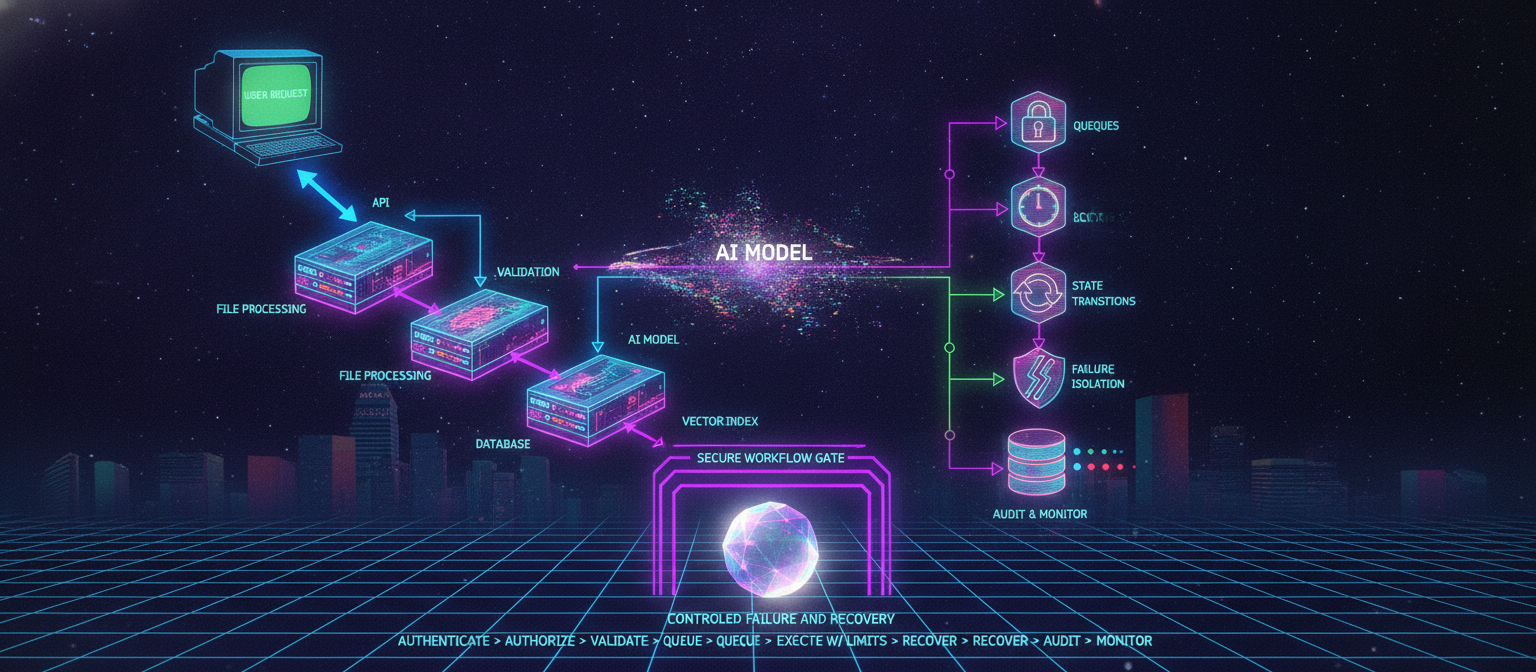
72.1 Introduction
AI applications increasingly depend on asynchronous workflows.
A single user action may trigger:
User Request
    ↓
API
    ↓
Validation
    ↓
AI Model
    ↓
File Processing
    ↓
Database
    ↓
Vector Index
    ↓
Notification
When these operations happen synchronously, failures can become difficult to handle.
A production AI platform therefore needs workflow orchestration capable of handling:
queues
jobs
scheduling
retries
state transitions
timeouts
cancellation
idempotency
distributed locks
dead-letter queues
priority
backpressure
recovery
failure isolation
Security must be built into the workflow itself.
72.2 What Is a Workflow?
A workflow is a sequence of operations that transforms an initial request into a final result.
Example:
Upload Image
     ↓
Validate
     ↓
Quarantine
     ↓
Scan
     ↓
Process
     ↓
AI Enhancement
     ↓
Store Result
     ↓
Notify User
Each stage should have an explicit responsibility.
72.3 Why AI Workflows Are Different
AI operations may be:
expensive
slow
probabilistic
externally dependent
rate-limited
asynchronous
resource-intensive
For example:
Image Generation
      ↓
Provider API
      ↓
30 seconds
      ↓
Result
The application should not assume the provider will always respond successfully.
Failures can include:
timeout
rate limit
provider outage
malformed response
content-policy rejection
network failure
partial completion
The workflow must handle these conditions safely.
72.4 Queue-Based Architecture
A queue separates request creation from task execution.
User
 ↓
API
 ↓
Job Queue
 ↓
Worker
 ↓
AI Provider
 ↓
Result
 ↓
Database
Benefits include:
load smoothing
retry support
asynchronous processing
worker scaling
failure isolation
resource control
72.5 Queue Security
Queues should not be treated as trusted channels.
A job should contain only the information necessary for execution.
Example:
{
  jobId,
  tenantId,
  userId,
  taskType,
  resourceId,
  requestedAt
}
Sensitive credentials should not be placed directly inside jobs.
Workers should retrieve secrets through the approved secret-management system.
72.6 Job Identity
Every job should have a unique identifier.
Example:
jobId = "job_123456"
The identifier should be useful for:
tracking
debugging
auditing
deduplication
correlation
It should not itself grant authorization.
72.7 Job Authorization
A worker should not assume that because a job exists, every requested action is authorized.
The worker should verify:
Job
 ↓
Identity
 ↓
Resource ownership
 ↓
Permission
 ↓
Policy
 ↓
Execution
This protects against malicious or corrupted job messages.
72.8 State Machines
Long-running workflows should use explicit states.
Example:
CREATED
   ↓
VALIDATING
   ↓
QUEUED
   ↓
PROCESSING
   ↓
COMPLETED
Failure states can include:
FAILED
CANCELLED
TIMED_OUT
QUARANTINED
Explicit states make recovery much easier.
72.9 Invalid State Transitions
The workflow should define which transitions are legal.
Example:
QUEUED → PROCESSING
PROCESSING → COMPLETED
PROCESSING → FAILED
But:
COMPLETED → PROCESSING
may be invalid unless the system explicitly supports reprocessing.
State-transition validation prevents accidental workflow corruption.
72.10 Idempotency
Idempotency means performing the same operation multiple times produces the same intended final result.
This is essential because distributed systems may retry operations.
Example:
Request
 ↓
Worker processes job
 ↓
Network timeout
 ↓
Queue retries job
 ↓
Worker processes job again
Without idempotency, the user might receive:
two charges
two notifications
two records
two generated resources
instead of one.
72.11 Idempotency Keys
An API can accept an idempotency key.
Example:
POST /generate

Idempotency-Key:
abc123
The system records the operation associated with that key.
A repeated request can then return the existing result instead of executing the operation again.
72.12 Idempotent Database Operations
Database writes should be designed carefully.
Instead of:
always insert new record
a system may use a unique operation identifier:
operation_id UNIQUE
Then repeated processing can safely detect an already-completed operation.
72.13 AI Generation Idempotency
AI generation can be more complicated because model calls may have side effects such as:
billing
quota consumption
external tool execution
storage creation
The workflow should distinguish between:
Request created
and:
External provider call completed
These states should not be confused.
72.14 Retry Architecture
Retries are useful for transient failures.
Examples:
temporary network failure
provider timeout
rate limit
temporary database error
But not every failure should be retried.
A useful classification:
| Failure | Retry? |
|---|---|
| Temporary network failure | Usually |
| Rate limit | Usually, with backoff |
| Provider outage | Later |
| Invalid request | No |
| Authorization failure | No |
| Malformed input | No |
| Security policy denial | No |
| Permanent configuration error | No |
Blind retries can make incidents worse.
72.15 Exponential Backoff
Retries should generally avoid hammering a failing service.
Conceptually:
Attempt 1
   ↓
wait
   ↓
Attempt 2
   ↓
longer wait
   ↓
Attempt 3
   ↓
longer wait
Jitter can be added so that many workers do not retry simultaneously.
72.16 Retry Limits
Every retry policy should have a maximum.
Example:
maxAttempts = 3
After the limit is reached, the job may move to:
FAILED
or:
DEAD_LETTER
Unlimited retries can create infinite loops and resource exhaustion.
72.17 Dead-Letter Queues
A dead-letter queue stores jobs that cannot be successfully processed.
Main Queue
    ↓
Worker
    ↓
Repeated failure
    ↓
Dead-Letter Queue
This prevents a permanently broken job from blocking normal processing.
Dead-letter queues should themselves be protected because they may contain sensitive metadata.
72.18 Poison Jobs
A poison job is a task that repeatedly causes processing failure.
Examples:
malformed media
corrupted document
invalid workflow
unsupported model
unexpected data structure
A poison-job strategy should include:
Detect repeated failure
 ↓
Stop automatic retries
 ↓
Quarantine job
 ↓
Record reason
 ↓
Alert if necessary
72.19 Timeouts
Every external operation should have a timeout.
Examples:
HTTP timeout
Database timeout
Model timeout
File-processing timeout
Tool timeout
Workflow timeout
Without timeouts, workers can remain occupied indefinitely.
72.20 Cancellation
Users may cancel long-running tasks.
Example:
PROCESSING
    ↓
CANCEL REQUEST
    ↓
CANCELLING
    ↓
CANCELLED
Cancellation should be coordinated with workers.
A worker should not continue an expensive or sensitive operation indefinitely after the user has revoked authorization.
72.21 Authorization During Long Workflows
A critical security question is:
Should authorization be checked only when the workflow starts?
Not always.
For long-running or high-impact workflows, authorization may need to be revalidated before sensitive actions.
Example:
Job created
 ↓
User authorized
 ↓
30 minutes pass
 ↓
Permission revoked
 ↓
Worker attempts sensitive action
The system should not blindly assume that the old permission remains valid.
72.22 Distributed Locks
Multiple workers may attempt the same operation simultaneously.
Example:
Worker A ──┐
           ├──> Same resource
Worker B ──┘
A distributed lock can coordinate access.
However, locks should be:
time-limited
uniquely identified
safely released
resilient to worker failure
72.23 Lock Expiration
A worker can crash while holding a lock.
Therefore locks should not remain forever.
Conceptually:
Acquire lock
    ↓
Lease expires
    ↓
Another worker can proceed
Lock systems require careful design to avoid stale ownership.
72.24 Race Conditions
AI workflows can experience race conditions.
Example:
Request A → update project
Request B → update project
Without concurrency control, one update may overwrite another.
Solutions may include:
optimistic concurrency
version numbers
transactions
locks
state-transition checks
72.25 Workflow Versioning
Workflows change over time.
Suppose:
Workflow v1
is replaced by:
Workflow v2
An existing job may still be executing v1.
Therefore jobs should record workflow version.
Example:
jobId
workflowId
workflowVersion
state
This makes historical execution reproducible.
72.26 Queue Priority
Not all tasks have equal importance.
Queues may support:
Critical
High
Normal
Low
However, priority should not allow unauthorized users to bypass security controls.
Priority determines scheduling, not permission.
72.27 Backpressure
Backpressure prevents the system from accepting unlimited work.
Example:
User Requests
      ↓
Queue grows rapidly
      ↓
Worker capacity exceeded
The platform should respond with:
rate limiting
queue limits
admission control
temporary rejection
delayed scheduling
rather than allowing unlimited memory and compute consumption.
72.28 AI Token Budget Controls
AI workloads can consume large numbers of tokens.
A workflow can enforce:
Per-request token limit
Per-user quota
Per-tenant quota
Per-workflow budget
Daily limit
Monthly limit
This provides both financial and resource protection.
72.29 Agent Step Limits
Autonomous workflows should have bounded execution.
Example:
Maximum steps = 10
If the agent reaches the limit:
STOP
rather than continuing indefinitely.
72.30 Workflow Resource Budgets
A job can have a resource budget:
Maximum runtime
Maximum tokens
Maximum tool calls
Maximum file size
Maximum generated output
Maximum retries
Maximum cost
Budgets reduce the blast radius of failures and abuse.
72.31 Workflow Isolation
Different jobs should not automatically share mutable state.
For example:
Tenant A Job
    ↓
Tenant A state

Tenant B Job
    ↓
Tenant B state
Caches, temporary files, memory, and working directories should be isolated appropriately.
72.32 Temporary Storage
Workers often require temporary files.
Temporary storage should:
use unpredictable identifiers
enforce permissions
have size limits
have lifetime limits
be cleaned after completion
avoid sharing between tenants
Example:
worker-temp/
   job-123/
   job-456/
72.33 Workflow Data Minimization
A job should carry only necessary information.
Prefer:
resourceId
over:
entire private document
The worker can retrieve the required data through an authorized interface.
This reduces exposure if queue contents are compromised.
72.34 Workflow Encryption
Sensitive job data should be protected appropriately.
Possible controls include:
encrypted transport
encrypted queue storage
access controls
secrets separation
log redaction
Avoid placing credentials or unnecessary sensitive information in queue payloads.
72.35 Secure Scheduler
Schedulers trigger workflows at defined times.
Examples:
Daily cleanup
 ↓
Weekly report
 ↓
Model evaluation
 ↓
Backup verification
Scheduled tasks should have explicit identities and permissions.
A scheduler should not execute every operation with unrestricted administrative privileges.
72.36 Scheduled Job Authorization
Each scheduled workflow should define:
Owner
Purpose
Allowed resources
Allowed tools
Maximum runtime
Maximum frequency
This limits abuse of scheduler functionality.
72.37 Event-Driven Workflows
Events can trigger workflows.
Example:
File Uploaded
      ↓
Security Scan
      ↓
AI Processing
      ↓
Indexing
Events should be authenticated and validated.
An attacker should not be able to forge arbitrary trusted events.
72.38 Event Replay
Distributed event systems may deliver the same event more than once.
Therefore consumers should be designed for duplicate events.
Example:
Event ID: event-123

First delivery
 → process

Second delivery
 → detect existing event
 → do not duplicate side effect
This is another reason idempotency is fundamental.
72.39 Event Ordering
Events may arrive out of order.
Example:
DELETE document
arrives before
CREATE document
Systems should not assume perfect ordering unless the infrastructure explicitly guarantees it.
Possible solutions include:
sequence numbers
versions
timestamps
state validation
ordered partitions
72.40 Workflow Checkpoints
Long-running jobs can store checkpoints.
Example:
Step 1 complete
Step 2 complete
Step 3 complete
If the worker crashes after Step 3, recovery can continue from a safe checkpoint rather than restarting everything.
Checkpoint data must itself be protected and versioned.
72.41 Exactly-Once vs At-Least-Once
Distributed systems commonly provide delivery guarantees such as:
At-most-once
A task may be lost, but duplicates are minimized.
At-least-once
A task should be delivered, but duplicates may occur.
Exactly-once
The system attempts to provide a single logical execution result, but this is difficult across distributed external side effects.
For many AI platforms, a practical architecture is:
at-least-once delivery + idempotent processing.
72.42 Failure Containment
A failure in one workflow should not automatically bring down the entire platform.
Example:
Tenant A workload
       ↓
failure
       ↓
Tenant A isolated
       ↓
Tenant B continues
This is especially important for multi-tenant AI systems.
72.43 Circuit Breakers
A circuit breaker can prevent repeated calls to a failing external service.
Conceptually:
Normal
  ↓
Failures increase
  ↓
OPEN
  ↓
Requests blocked
  ↓
Recovery test
  ↓
HALF-OPEN
  ↓
Service healthy
  ↓
CLOSED
This protects both the application and the external dependency.
72.44 Bulkheads
Bulkhead isolation limits the impact of resource exhaustion.
Example:
Image Workers
    │
    ├── capacity limit
    │
Video Workers
    │
    ├── capacity limit
    │
Document Workers
    │
    └── capacity limit
A video-processing spike should not consume every worker needed for document processing.
72.45 Queue Poisoning Defense
Attackers may intentionally create expensive jobs.
Examples:
huge prompts
huge documents
repeated generation
expensive media conversions
repeated agent execution
Controls include:
quotas
authentication
rate limits
queue limits
maximum job cost
maximum execution time
anomaly detection
72.46 Workflow Audit Trail
Each workflow should produce an audit trail.
Useful fields:
workflowId
jobId
tenantId
actor
action
stateBefore
stateAfter
timestamp
authorizationDecision
tool
result
error
Sensitive content should be minimized or redacted.
72.47 Observability
Workflow observability should cover:
queue depth
job latency
processing time
retry count
failure count
dead-letter count
timeout count
worker utilization
provider latency
token usage
Security monitoring can then identify anomalies.
72.48 Workflow Security Metrics
Useful metrics include:
Job failure rate
Retry rate
Dead-letter rate
Unauthorized execution attempts
Average workflow duration
Maximum workflow duration
Queue depth
Resource consumption
Agent step count
Policy-denial rate
Cross-tenant authorization failures
Metrics should be interpreted in context.
72.49 Secure Workflow Architecture
A mature AI workflow system can look like:
                    API
                     ↓
             Authentication
                     ↓
              Authorization
                     ↓
               Policy Engine
                     ↓
               Job Creation
                     ↓
                  Queue
                     ↓
             Scheduler/Worker
                     ↓
             State Validation
                     ↓
              Resource Check
                     ↓
             Tool Authorization
                     ↓
             Sandboxed Action
                     ↓
             Result Validation
                     ↓
              State Transition
                     ↓
               Database
                     ↓
               Notification
72.50 Secure Worker Architecture
Workers should be treated as controlled execution environments.
A worker should:
authenticate itself,
receive a job,
validate the job,
verify authorization,
acquire required resources,
enforce limits,
execute the operation,
validate results,
update workflow state,
release resources,
record security events.
72.51 Worker Compromise
If a worker becomes compromised, its permissions should be limited.
A compromised worker should ideally not have unrestricted access to:
every tenant
every database table
every storage bucket
every secret
every tool
This follows the principle of least privilege.
72.52 Workflow Recovery
Recovery from worker failure can follow:
Worker failure
      ↓
Job lease expires
      ↓
Job becomes recoverable
      ↓
Another worker claims job
      ↓
Checkpoint/state inspected
      ↓
Resume or safely restart
The workflow must avoid duplicating irreversible side effects.
72.53 Safe Retry of External Actions
External side effects require special handling.
For example:
Charge payment
Send email
Delete object
Execute external API action
A retry can accidentally repeat the action.
Use:
provider idempotency keys
operation records
transaction/outbox patterns
explicit completion state
where supported.
72.54 Transactional Outbox Pattern
When a database update and event publication must remain consistent, an outbox can help.
Conceptually:
Database Transaction
     │
     ├── Update business state
     │
     └── Write event to outbox
              ↓
         Outbox Worker
              ↓
            Queue
This reduces the risk of:
database updated
but
event never published
72.55 Security Review of Workflow Definitions
Workflow definitions themselves should be treated as security-sensitive configuration.
Changes should require:
version control
review
testing
authorization
audit logging
A malicious workflow definition could otherwise create powerful unintended behavior.
72.56 Workflow Supply-Chain Security
Workflow dependencies may include:
task libraries
plugins
worker images
AI SDKs
external services
Therefore workflow deployments should use:
dependency scanning
signed artifacts
controlled registries
version pinning
SBOMs
approval workflows
72.57 Workflow Testing
Every workflow should be tested for:
Normal execution
Create → Queue → Process → Complete
Failure
Create → Queue → Failure → Retry
Permanent failure
Failure → Retry limit → Dead-letter
Cancellation
Processing → Cancel → Cancelled
Authorization change
Processing → Permission revoked → Sensitive action denied
Worker crash
Processing → Worker failure → Recovery
72.58 Security Regression Tests
Important workflow properties should become automated tests.
Example:
Test:
Unauthorized worker attempts protected resource.

Expected:
Execution denied.
Another:
Test:
Same idempotency key submitted twice.

Expected:
One logical operation.
Another:
Test:
Job exceeds maximum execution time.

Expected:
Timeout and controlled termination.
72.59 Production Readiness Checklist
[ ] Queue authentication configured
[ ] Job authorization implemented
[ ] Explicit workflow states exist
[ ] State transitions validated
[ ] Idempotency implemented
[ ] Retry policy defined
[ ] Exponential backoff configured
[ ] Retry limits configured
[ ] Dead-letter queue configured
[ ] Timeouts configured
[ ] Cancellation supported
[ ] Resource limits configured
[ ] Agent step limits configured
[ ] Queue limits configured
[ ] Worker isolation implemented
[ ] Tenant isolation tested
[ ] Distributed locks reviewed
[ ] Event duplication handled
[ ] Event ordering considered
[ ] Workflow versioning implemented
[ ] Audit logging enabled
[ ] Monitoring enabled
[ ] Alerting configured
[ ] Recovery tested
[ ] Security regression tests implemented
72.60 Final Secure Workflow Principle
A reliable AI workflow should never assume:
jobs execute exactly once,
networks never fail,
providers never fail,
workers never crash,
events arrive once,
permissions never change,
model calls are always successful,
external actions are automatically safe.
Instead, it should be designed around controlled failure.
The complete model is:
Authenticate
     ↓
Authorize
     ↓
Validate
     ↓
Queue
     ↓
Execute with limits
     ↓
Validate result
     ↓
Persist state
     ↓
Retry safely when appropriate
     ↓
Quarantine permanent failures
     ↓
Recover from worker failures
     ↓
Audit
     ↓
Monitor
The central principle is:
A secure workflow is not one that never fails; it is one that fails predictably, limits damage, prevents unauthorized execution, and can recover without creating duplicate or unsafe side effects.